APKs
APKs is where you download the AndroMate agent to install on an Android device - see Installation for the full install walkthrough. This page covers the screen itself.
Choose a version picks which release to download; it defaults to the latest. Two tabs switch between the two install methods:
Normal app
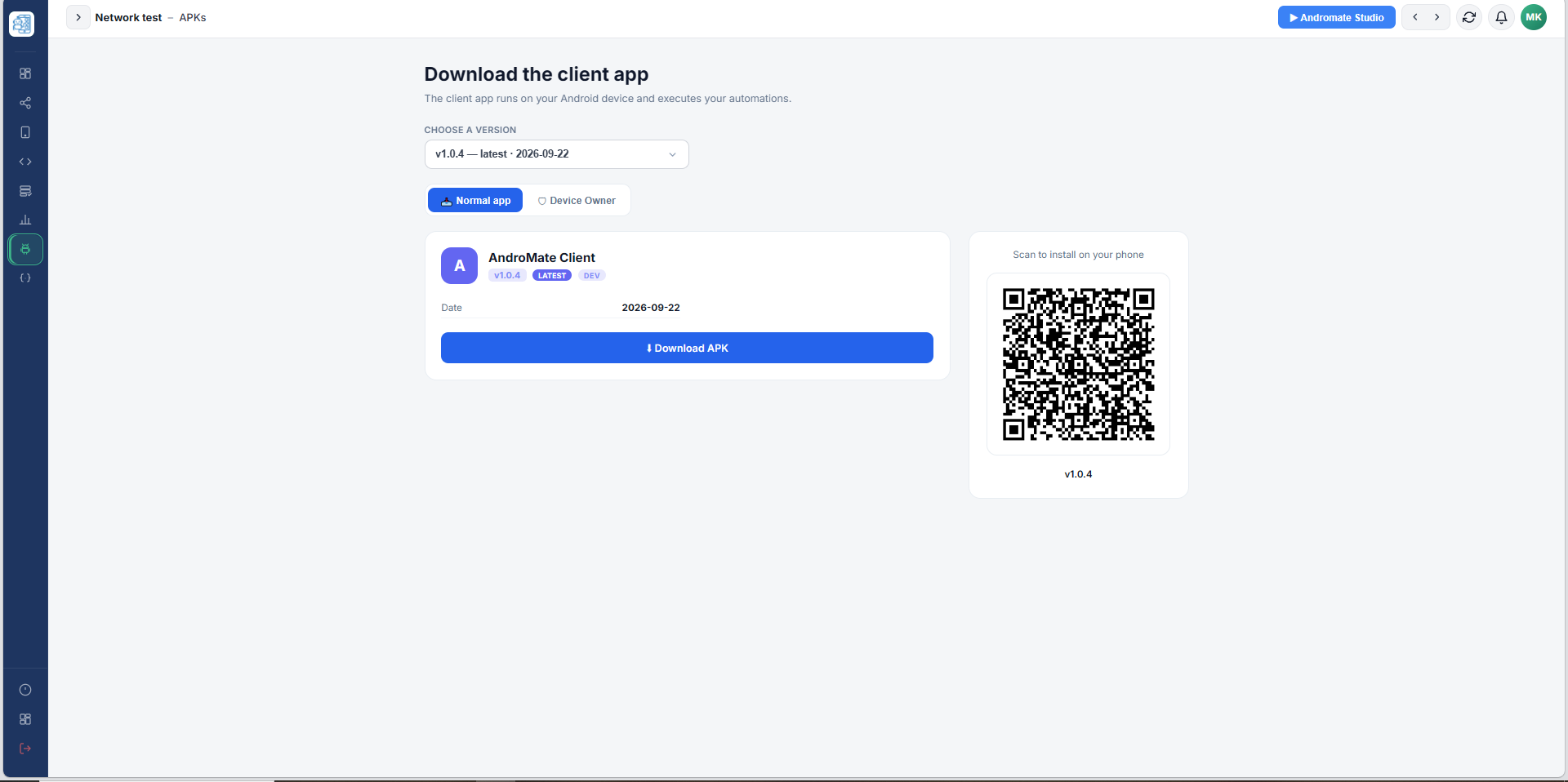
Download APK downloads the file to the PC; the QR code lets the phone download it directly by scanning it with the camera.
Device Owner
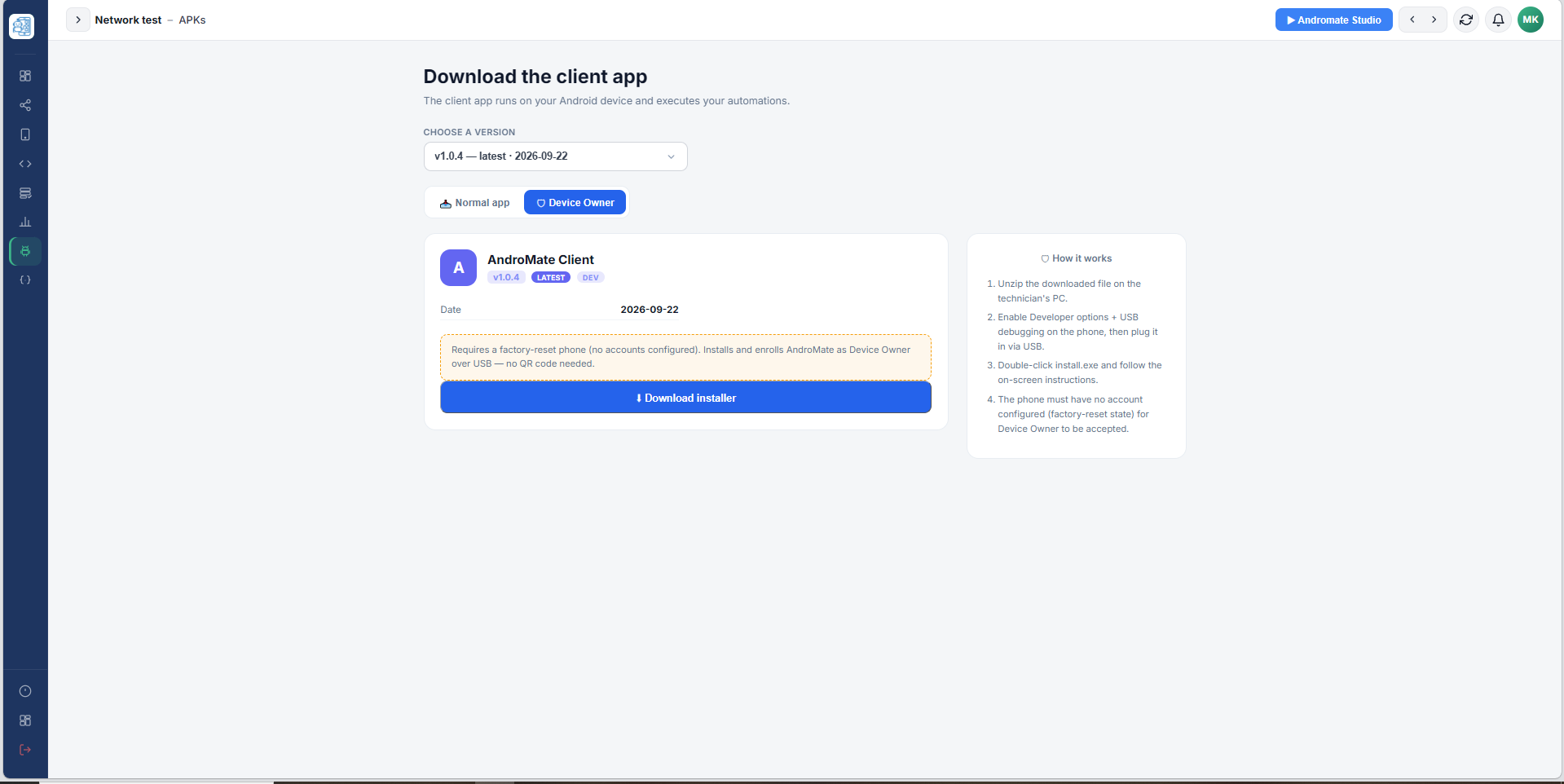
Download installer downloads the ZIP with install.exe and the USB tooling. The How it works panel summarizes the 4 steps, and the warning box repeats the main requirement: the phone must be factory-reset, with no account configured.
What's next
- Installation - the step-by-step for both methods